
Channel Lockdown
Lock down a specific channel to restrict access during incidents.
Channel Lockdown
The /lockdowns channel command lets you lock down a single channel, restricting message sending and other permissions for critical roles.
Usage
/lockdowns channel channel:<#channel> reason:<reason>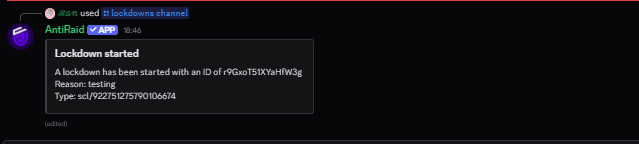
Options
| Prop | Type | Description |
|---|---|---|
channel? | string | The channel to lock down (required) |
reason? | string | The the reason why you want the lockdown to initiate |
Permissions
lockdowns.scl— Required to use this command.
What it does
- Restricts the specified channel for all critical roles (see getCriticalRoles API).
- Useful for isolating incidents to a single channel.
See Also
- API: SingleChannelLockdown
@antiraid-ext/lockdowns/modes/singlechannellockdown
API reference for @antiraid-ext/lockdowns/modes/singlechannellockdown
Last updated on